Smile Designer Pro
The digital smile design app dental practices have worked with since 2013, on the iPad and on the desktop
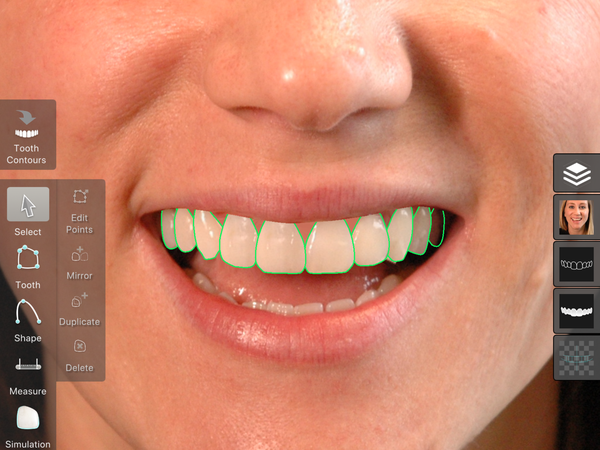
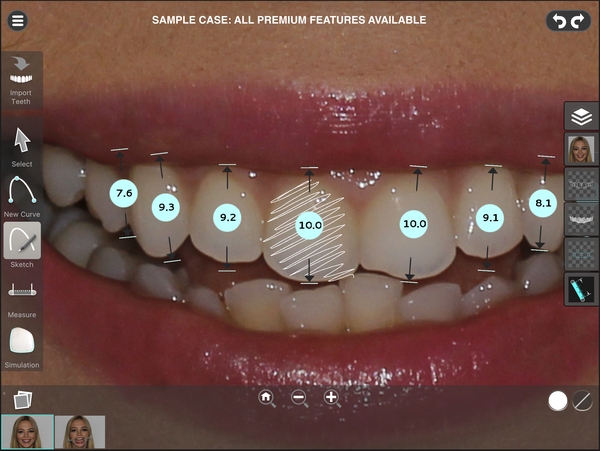
Smile Designer Pro turns a patient photograph into a treatment plan: measure the smile, design the proposed teeth, and show the before and after in the same consultation.
In 2016 we worked inside Tasty Tech's team, in agile sprints, taking the rendering engine beyond the iPad and onto the macOS and Windows desktop.
- Our role
- Embedded engineering in Tasty Tech's team · rendering engine
- Engagement period
- 2016
- Product
- On the market since 2013
- Platforms
- iPad, macOS, Windows
Looking for something similar?
Tell us about your project
Smile Designer Pro
Cosmetic dentistry is a conversation the patient has to see. Smile Designer Pro holds that conversation on a calibrated photograph: proportions measured, teeth designed, outcome simulated in the patient's own tooth colour, before anything is drilled.
What Smile Designer Pro offers
- Calibrated analysis: proportions and distances measured straight on the patient's photograph
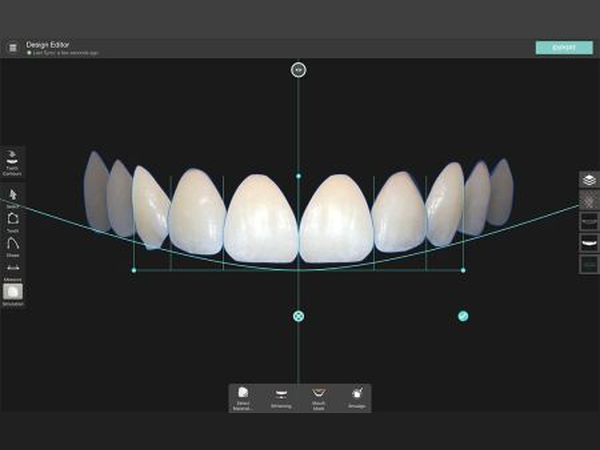
- Proportion and lip guides that draw a first proposal, ready to be customised tooth by tooth
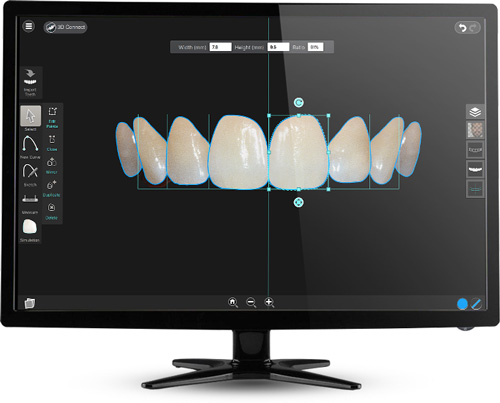
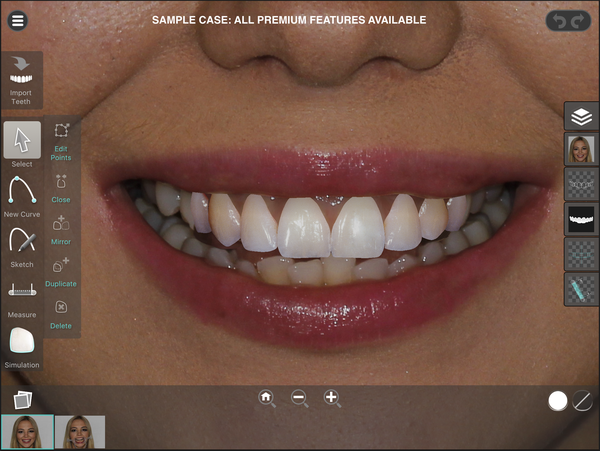
- Tooth editor with precision control points, plus duplicate and mirror across the midline
- 3D intraoral scans imported and matched to the photo, for a retracted view and quality control
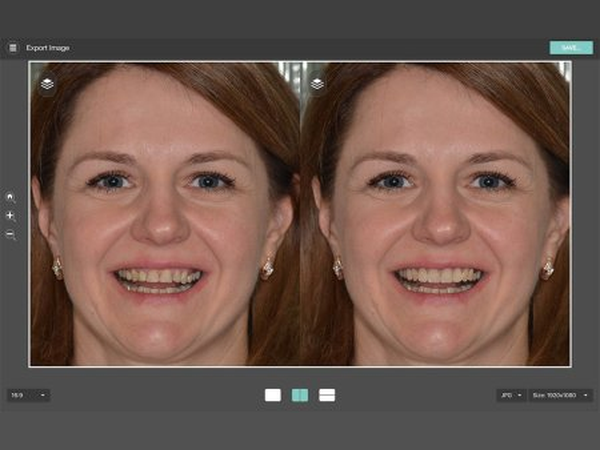
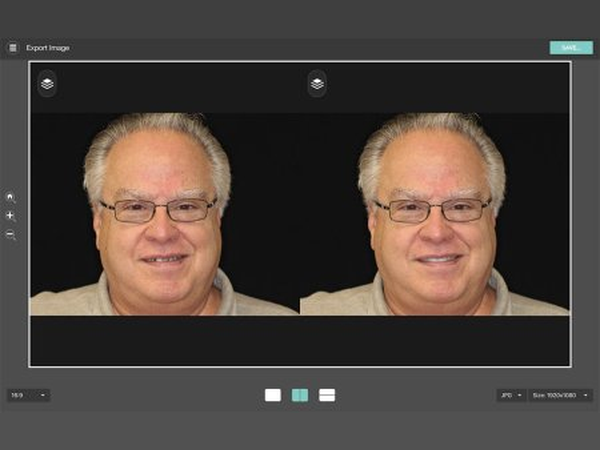
- Realistic simulation with tooth texture and whitening control, in the patient's own colour
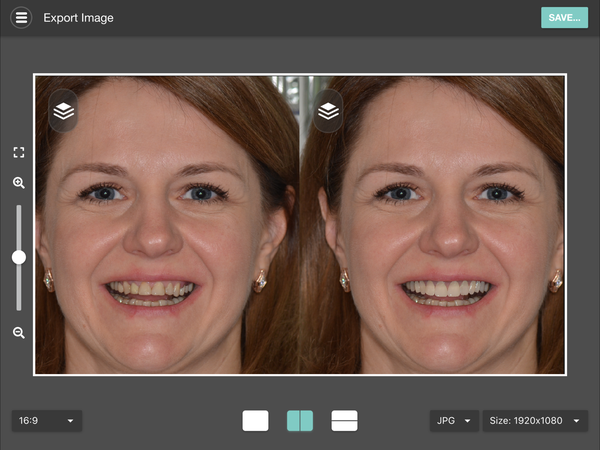
- Before and after images exported in seconds, to the photo library or to Dropbox
- The same case open on the iPad, on macOS and on Windows
How we worked
Tasty Tech had a product dentists already trusted on the iPad, a designer of its own, and a roadmap pointing off Apple's platform. What it needed was engineering that could take the app there without starting the app again.
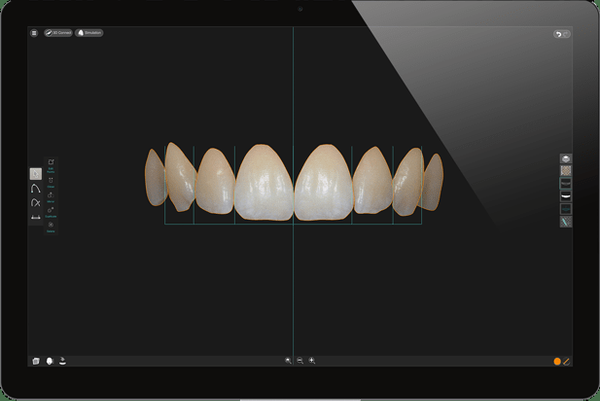
So we worked inside its team, in agile sprints, on the part nobody sees: the rendering engine that draws the guides, the proposed teeth and the simulation. We migrated it off iOS and kept maintaining it there, on macOS and on Windows.
On top of that engine we also built tools and use cases, alongside the rest of the team.
Look & Feel
The screens on this page were designed by Tasty Tech's own professional designer. Our job was to make one design hold on three platforms at once.
The rendering engine is where that promise is kept or lost: the same photograph, the same measurements and the same simulation have to come out identical whether the dentist is on an iPad chairside or on a desktop in the back office.
It runs today on the iPad, on macOS and on Windows, from the same engine.
Contact us
Shall we talk about your project? Email us at hello@irakai.com
We reply within two business days.